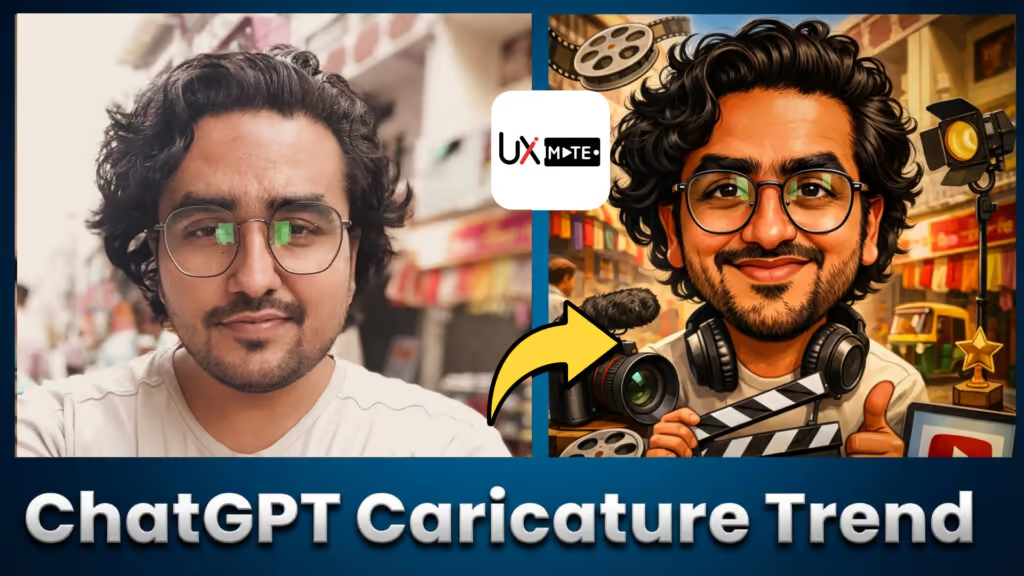
Discover the top 10 ChatGPT caricature prompts going viral on social media. Learn how to transform your photo into a bold AI cartoon portrait — copy-paste ready, free, and beginner-friendly.
Table of Contents
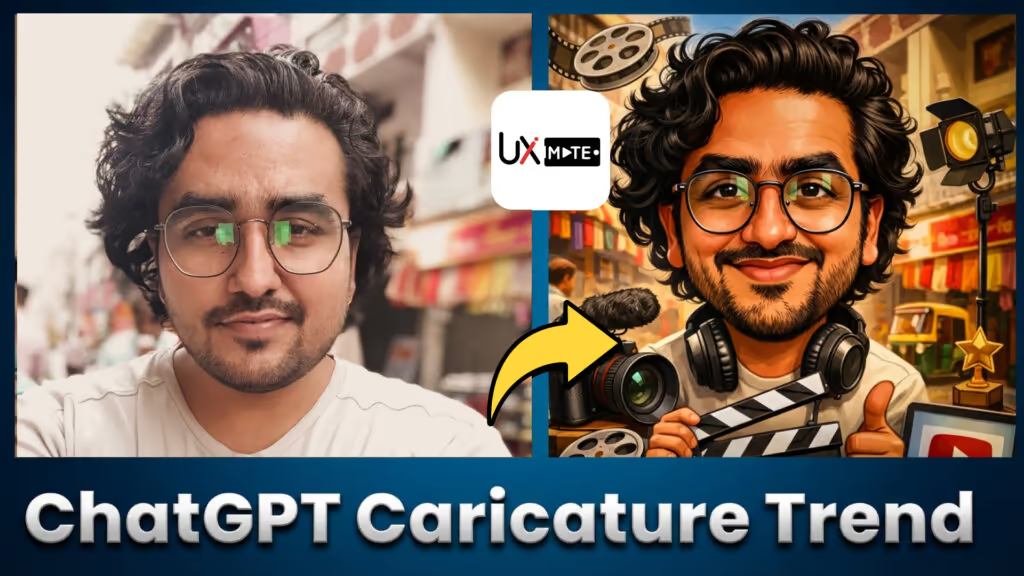
The ChatGPT caricature trend is exploding across social media. Creators are using AI to transform a normal photo into a bold cartoon portrait that highlights profession, personality, daily tools, hobbies, and vibe.
In this step-by-step guide, you’ll learn exactly how to do the ChatGPT caricature trend, get the perfect ChatGPT caricature prompt, and generate a professional AI cartoon version of yourself — all in minutes.
Whether you want a profile picture, a LinkedIn avatar, Instagram art, or a fun “me at work” illustration, this method works. No drawing skills. No paid software. Just a smart prompt.

What You’ll Learn in This Guide
- How the AI caricature trend with ChatGPT actually works
- The original viral ChatGPT caricature trend prompt — and why it’s limiting
- 10 improved, copy-paste ready caricature prompts
- How to generate results using your photo
- Ways to customize style, mood, props, clothing, and background
- Common mistakes to avoid
- How people are making their caricatures go viral on social media
What Is the ChatGPT Caricature Trend?
The ChatGPT caricature trend is a viral AI art movement where users feed their photos (or descriptive text) into ChatGPT’s image generation model and receive back a bold, exaggerated cartoon-style portrait.
What makes it unique is the personalization. Unlike generic AI art generators, ChatGPT can incorporate context about your:
- Profession — your tools, workspace, uniform
- Personality — expressive features, mood, energy
- Hobbies and lifestyle — surrounding objects and environment
- Style preferences — minimal, bold, comedic, or professional
This trend originated from long-time ChatGPT users whose conversation history gave the AI deep context about them — but new users can achieve equally great (or better) results with a detailed, well-structured prompt.
If You’re a New User — Don’t Worry
This trend often analyzes your ChatGPT History to create your viral caricature. But if you’re a new user, you’ll just need a more descriptive prompt — which often produces even better results because you control exactly what goes in.
Use the prompts below as your starting point.
The Original Viral ChatGPT Caricature Prompt
Here’s the exact one-liner circulating everywhere:
Create a caricature of me with everything you know about me and my work
It’s simple — but also limiting. It only works well if ChatGPT already knows a lot about you from past conversations.
Below are 10 improved prompt variations that give you far more control over the output.
10 ChatGPT Caricature Prompts — Copy–Paste Ready
These prompts are designed to work with or without prior ChatGPT history. Each one targets a specific use case, style, or platform.
Professional Career-Based ChatGPT Caricature Prompt
Generate a detailed, career-specific AI caricature using this copy-paste ChatGPT prompt. Perfect for showcasing your profession with a bold cartoon portrait style.
Minimalist Cartoon Portrait ChatGPT Caricature Prompt
Create a clean, modern minimalist AI caricature with this copy-paste ChatGPT prompt. Ideal for professional profiles, personal branding, and digital avatars.
Fun Social Media–Style ChatGPT Caricature Prompt
Generate a bold, playful AI caricature built for social media with this copy-paste ChatGPT prompt. Vibrant colors, expressive features, and eye-catching cartoon style.
Work-from-Home Setup ChatGPT Caricature Prompt
Create an AI caricature of yourself in your WFH environment with this copy-paste ChatGPT prompt. Includes your desk, tools, and daily setup in a fun cartoon style.
Creative Professional ChatGPT Caricature Prompt
Showcase your creative identity with this AI caricature prompt for designers, artists, filmmakers, and other creative professionals. Detailed digital art shading and stylized proportions.
LinkedIn-Ready Professional ChatGPT Caricature Prompt
Create a polished, professional AI caricature perfect for LinkedIn with this copy-paste ChatGPT prompt. Subtle exaggeration, clean background, and confident expression.
Highly Exaggerated Comedy-Style ChatGPT Caricature Prompt
Generate a hilarious, over-the-top AI caricature with this copy-paste ChatGPT prompt. Oversized features, humorous proportions, and bold cartoon illustration style.
Lifestyle-Based ChatGPT Caricature Prompt
Create an AI caricature that reflects your hobbies, interests, and lifestyle with this copy-paste ChatGPT prompt. Colorful, personality-driven cartoon art style.
High-Detail AI Art Illustration ChatGPT Caricature Prompt
Generate a premium, high-detail AI caricature art illustration using this advanced ChatGPT prompt. Smooth shading, dynamic lighting, and expressive digital painting quality.
Trend-Optimized Viral ChatGPT Caricature Prompt
The ultimate viral ChatGPT caricature prompt — exaggerated features, job-relevant elements, and eye-catching cartoon portrait style designed to explode on social media.
How to Use These Prompts Step-by-Step
Getting a great caricature from ChatGPT is a three-step process:
Step 1: Upload Your Photo
Open ChatGPT (GPT-4o with image generation). Click the image/attachment icon and upload a clear, well-lit photo of yourself — ideally facing forward with good lighting.
Step 2: Paste Your Chosen Prompt
Select one of the 10 prompts above based on your goal. If you’re targeting LinkedIn, use Prompt 6. If you want something fun and viral, go for Prompt 10. Paste the prompt and hit send.
Step 3: Iterate and Refine
AI caricature creation is iterative, not one-click magic. If the first result isn’t perfect:
- Add more context: “Make the features more exaggerated”
- Adjust the style: “Switch to a flat illustration style”
- Change the props: “Add a coffee mug and laptop to the scene”
- Fix the mood: “Make the expression more confident and energetic”
Each refinement brings the output closer to what you envision.
How to Customize Your ChatGPT Caricature
Every great caricature has multiple layers of customization. Here’s what you can tweak:
🎨 Art Style
- Flat vector illustration
- Digital painting with shading
- Bold comic-book outlines
- Watercolor wash
- Pixar-style 3D cartoon
👔 Clothing & Props
- Describe your actual work outfit
- Mention your daily tools (laptop, camera, stethoscope, etc.)
- Add your favorite hobby item
🖼 Background
- Minimal solid color (great for LinkedIn)
- Your workspace or desk setup
- Abstract or gradient background
- A meaningful scene (office, studio, outdoors)
😄 Expression & Mood
- Confident and professional
- Playful and humorous
- Focused and intense
- Relaxed and casual
The more specific you are in the prompt, the closer the result will be to your vision.
Why ChatGPT Caricatures Go Viral
AI caricatures spread on social media for a few clear reasons:
- They’re instantly recognizable — exaggerated features make people do a double-take
- They show personality — tools, props, and expressions tell a story at a glance
- They’re shareable — cartoon portraits beg to be reacted to, shared, and commented on
- They feel personal — it’s not stock art; it’s you, just amplified
The viral magic comes from the combination of realism and exaggeration — people can see themselves in the caricature, but it’s far more interesting than a regular photo.
Common Mistakes People Make With AI Caricature Using ChatGPT
Avoid these if you want great, consistent results:
Using only the viral one-line prompt
The one-liner “Create a caricature of me” produces generic results unless ChatGPT has extensive history with you. Always use a detailed prompt that describes your job, style, and preferences.
Not describing your job or environment
ChatGPT can’t guess your profession from a photo alone. Tell it exactly what you do, what tools you use, and what your workspace looks like.
Uploading low-quality images
Blurry, dark, or sideways photos confuse the model. Use a clear, front-facing photo with good lighting for the most accurate caricature.
Expecting perfect output on the first try
AI caricature is an iterative process. Your first output is a draft. Refine it with follow-up instructions.
Ignoring style instructions
Without style direction, ChatGPT picks a default cartoon look. Specifying the art style (flat design, digital painting, comic style) dramatically improves output quality.
Best Platforms to Share Your AI Caricature
Once you have your perfect ChatGPT caricature, here’s where to use it:
| Platform | Recommended Style | Use Case |
|---|---|---|
| Subtle, professional | Profile picture or post | |
| Bold, colorful, expressive | Carousel or story post | |
| Twitter/X | Fun or exaggerated | Profile picture or thread |
| Any style | DP or sticker | |
| Personal Portfolio | High-detail art | About page avatar |
FAQs About the ChatGPT Caricature Trend
What is the ChatGPT caricature trend?
It’s a viral AI trend where users generate cartoon-style caricatures of themselves using ChatGPT prompts and AI image generation. The results highlight profession, personality, tools, and lifestyle in an exaggerated cartoon style.
How to make a caricature with ChatGPT if it doesn't know me?
Use a detailed descriptive prompt that includes your job, tools, personality, style preferences, and background environment. New users often get better results than long-time users because they control every variable.
Is ChatGPT a caricature image generator?
ChatGPT (powered by GPT-4o) can generate images directly, including caricatures. The quality of your output depends heavily on prompt quality — which is why using tested, detailed prompts makes all the difference.
Are ChatGPT caricature prompts free?
Yes. All the prompts in this guide are completely free to use. You just need access to ChatGPT with image generation (available on the free and paid plans).
Why do some caricatures look more accurate than others?
Better prompts, clearer photos, and more context lead to more accurate and detailed caricatures. Also, iterating with follow-up instructions significantly improves accuracy.
Can I use my ChatGPT caricature commercially?
Always review OpenAI’s current usage policies before using AI-generated images commercially. For personal use, social media, and portfolio work, caricatures are generally fine.
Final Thoughts: The Real Power Is in Prompts
The ChatGPT caricature trend proves one thing clearly:
Prompt engineering is now a creative skill.
The better your prompt, the better your output — regardless of the tool. Anyone can generate a mediocre caricature. But with the right structure, context, and style direction, you can produce something genuinely memorable.
Use the 10 prompts above as your foundation. Customize them with your details. Iterate until it feels right. And then share it — because the best caricatures always spark a reaction.
🚀 Explore UX Mate’s Full Prompts Library
Get access to:
- Tested, production-ready caricature prompts
- Viral-ready AI art prompt structures
- Profession-specific prompt packs
- Time-saving copy-paste frameworks for every use case
👉 Visit the UX Mate Prompts Library
Stay ahead of the trend — before it becomes saturated.
Join Our Community
Connect with other creators exploring AI art, prompts, and tools: