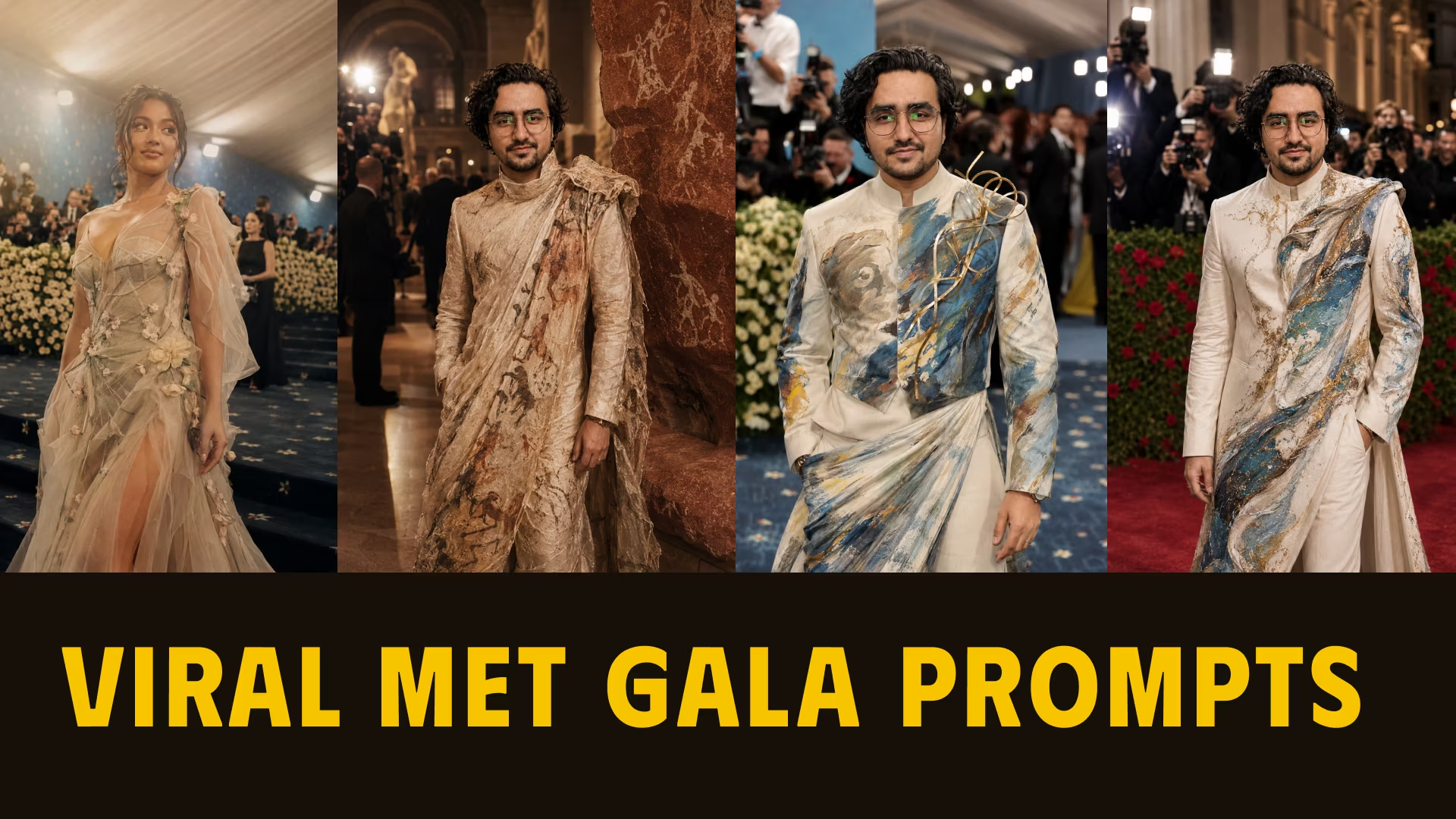
Try these 5 viral ChatGPT prompts to create stunning Met Gala inspired AI photos. Keep your real face and generate celebrity red carpet looks with Fashion Is Art themes.
Table of Contents
The Met Gala is the most extravagant fashion event on the planet — and every year it floods the internet with breathtaking celebrity looks, outrageous outfits, and endless viral moments. Now, with ChatGPT’s image generation, you can create your own Met Gala-inspired portrait and put yourself on that red carpet.
These 5 ChatGPT Met Gala prompts are designed to do exactly that — generate hyper-realistic, editorial-quality fashion photos with your real face preserved, dressed in couture that matches iconic Met Gala themes like Fashion Is Art.
Whether you want to walk the red carpet, stand inside the Metropolitan Museum of Art, or appear like a celebrity in a Vogue spread — these prompts deliver.

Why These ChatGPT Met Gala Prompts Work So Well
ChatGPT’s image generation (GPT-4o) has become one of the best tools for realistic AI fashion photography because it:
- Preserves your face when given a clear reference photo
- Understands fashion language — couture, editorial, cinematic, paparazzi, red carpet
- Handles complex scene descriptions — museum interiors, evening lighting, crowd backgrounds
- Produces genuinely photorealistic outputs when prompted correctly
The key to getting great results is specificity. Each prompt below is crafted with precise language for scene, lighting, outfit style, and realism — so you get editorial results, not generic AI art.
How to Use These Prompts with ChatGPT
Before you paste any of these prompts, follow this simple setup:
Step 1: Open ChatGPT with Image Generation
Make sure you’re using ChatGPT with GPT-4o and image generation is available in your plan. The free tier offers limited generations — paid plans unlock more.
Step 2: Upload Your Reference Photo
This is the single most important step. Upload a clear, well-lit, front-facing photo of yourself. A solo portrait with natural lighting works best — avoid group photos, heavily filtered selfies, or obscured angles.
Step 3: Paste the Full Prompt
Copy the complete prompt text and paste it directly into the chat alongside your photo. Don’t paraphrase or shorten it — every word is there for a reason.
Step 4: Iterate With Follow-Up Instructions
If the first output is 80% there, use follow-up messages to improve the remaining 20%:
- “Keep my face exactly the same and regenerate with more dramatic lighting”
- “The outfit needs to be more structured and sculptural”
- “Add more paparazzi camera flashes in the background”
5 ChatGPT Prompts to Create Met Gala Inspired Pictures
These five prompts cover different Met Gala moods and settings — from surreal dreamy atmospheres to realistic celebrity red carpet photography.
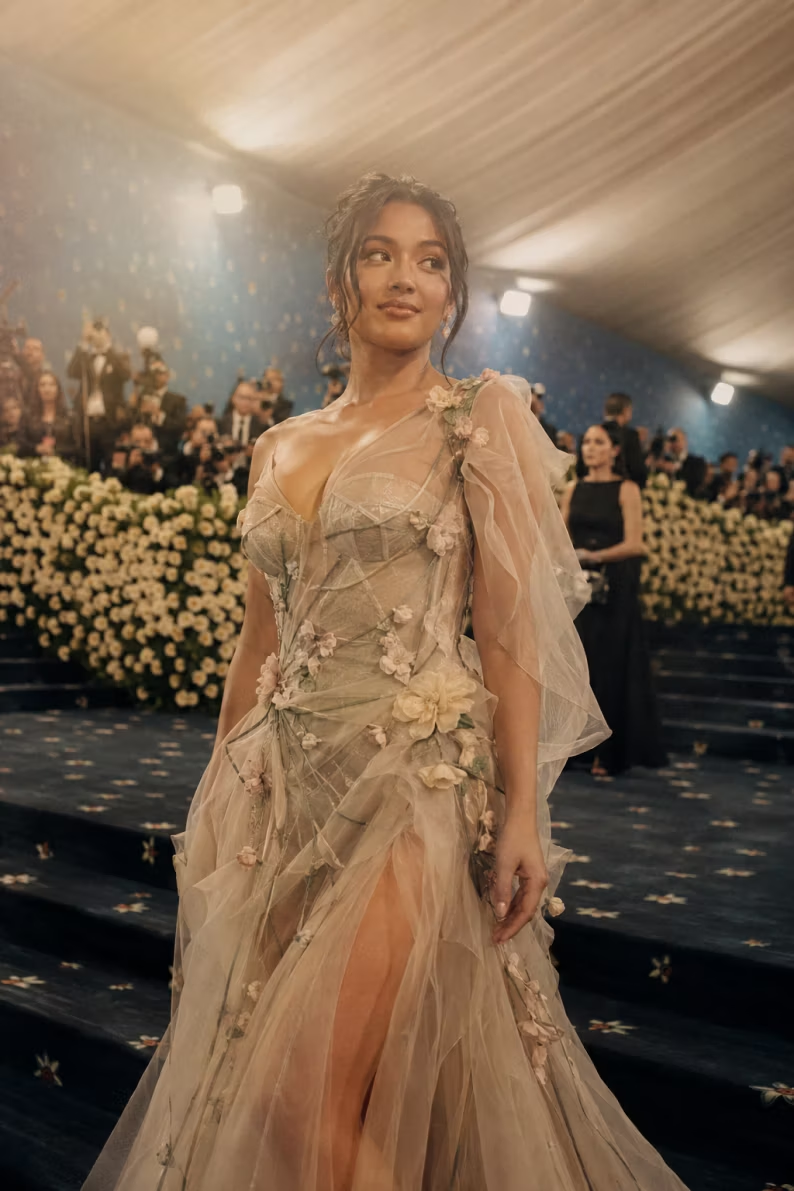
Fashion Turned Into Art Met Gala — ChatGPT Prompt
Reimagine yourself walking at the Met Gala with a dreamy cinematic atmosphere using this ChatGPT prompt. Fashion Is Art theme with surreal lighting and realistic output.
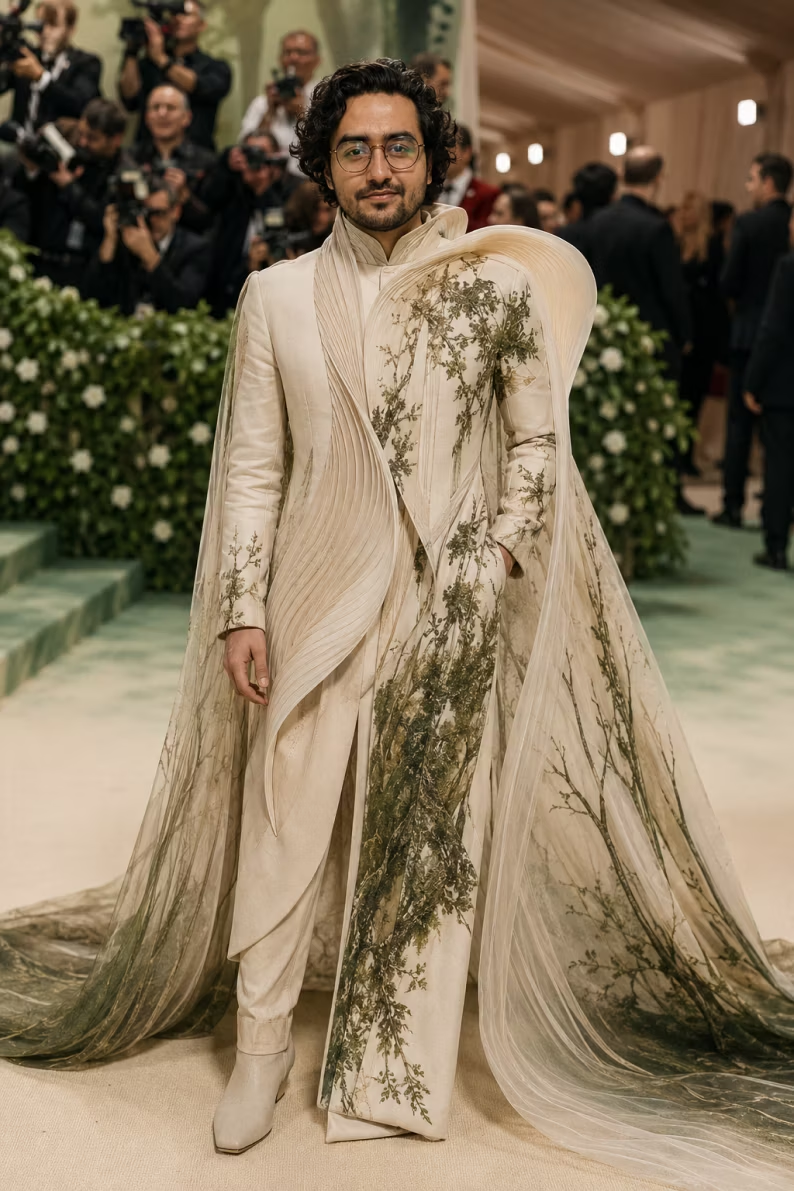
Realistic Red Carpet Met Gala Portrait — ChatGPT Prompt
Create a realistic Met Gala red carpet celebrity portrait with art-inspired couture using this ChatGPT prompt. Looks like an original paparazzi photograph.
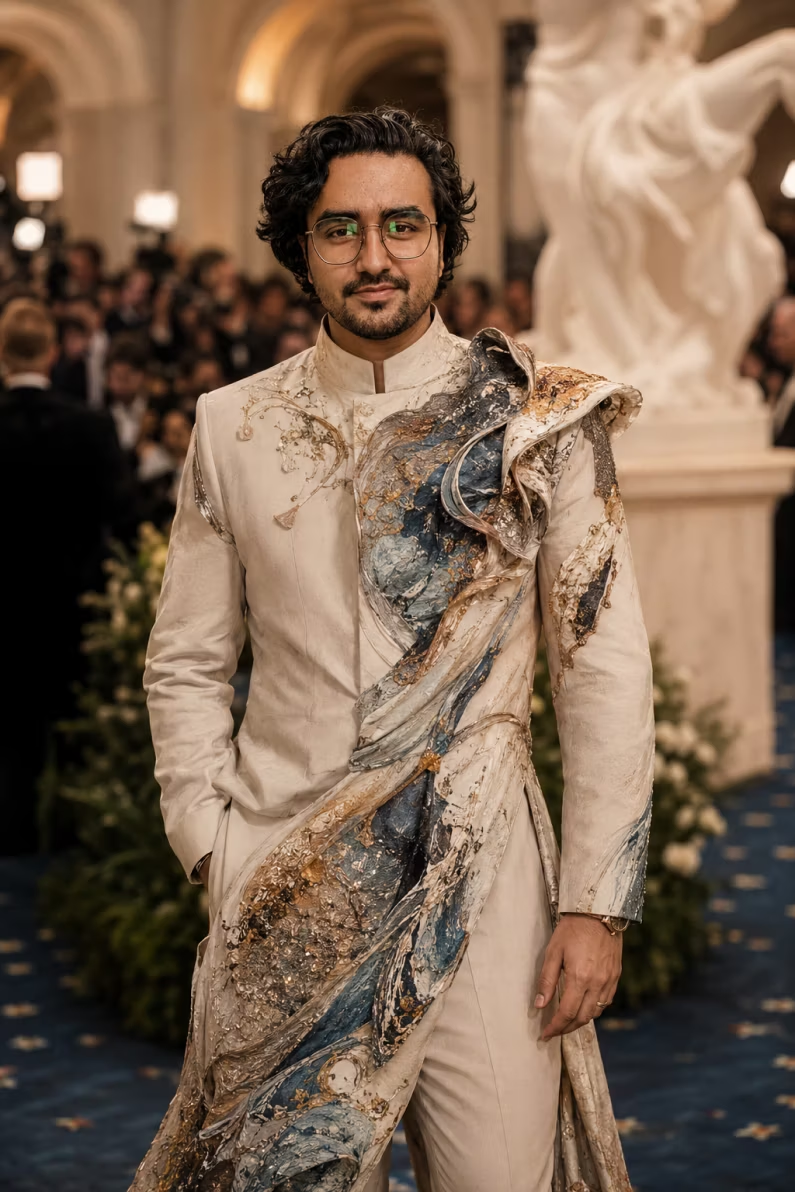
High Fashion Met Gala Transformation — ChatGPT Prompt
Transform your photo into a polished Met Gala high fashion look with artistic textures and a museum-inspired background using this ChatGPT prompt.
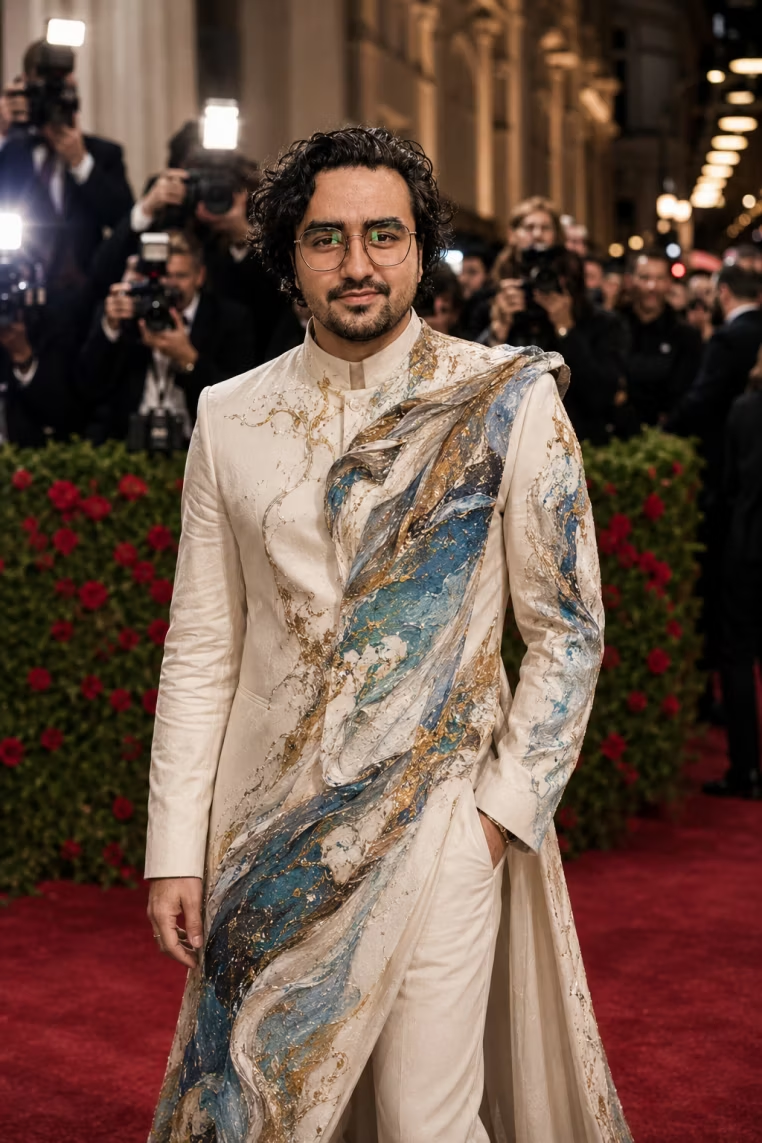
Celebrity Guest at the Met Gala — ChatGPT Prompt
Imagine yourself as a celebrity Met Gala guest in a luxury wearable art outfit with red carpet flash photography and a glamorous New York atmosphere.
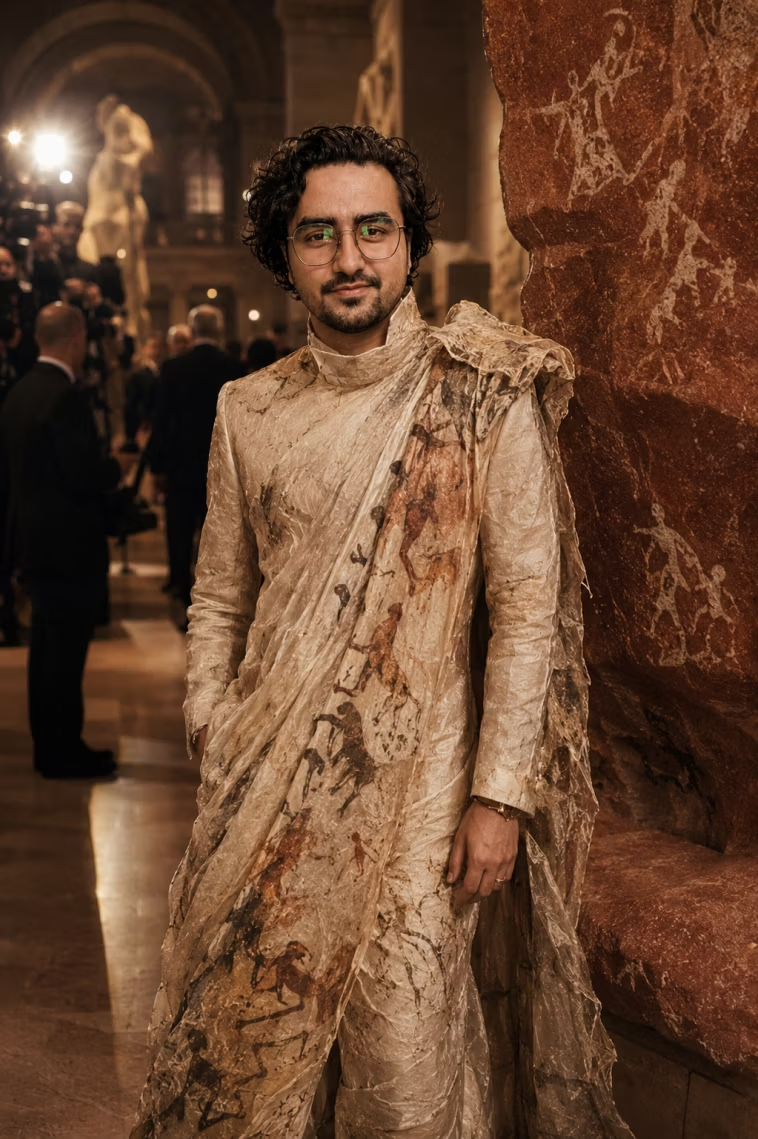
Dreamy Editorial Inside the Met Museum — ChatGPT Prompt
Generate a dreamy high fashion editorial image of yourself inside the Metropolitan Museum of Art during the Met Gala using this ChatGPT prompt.
Watch the Tutorial
See these prompts in action and learn how to get the best results from ChatGPT’s image generation:
Viral Met Gala Look AI Prompt Tutorial (ChatGPT & Gemini)
Learn how to create viral Met Gala AI photo prompts using ChatGPT and Gemini. Generate hyper-realistic red carpet celebrity looks with these 5 copy-paste prompts.
View TutorialBreaking Down What Makes Each Prompt Work
Understanding why each prompt is written the way it is helps you customise them for even better results.
Prompt 1 — Fashion Turned Into Art
The phrase “perfectly fits both the Met Gala theme and my personality” is a smart instruction that lets ChatGPT infer outfit details from your appearance rather than applying a generic look. “Naturally adjusting the exposure, brightness, saturation” pushes the model toward photographic post-processing realism rather than a flat AI render.
Prompt 2 — Realistic Red Carpet Portrait
Anchoring it to “New York” and specifically “red carpet” gives the model strong contextual signals. Ending with “original celebrity red carpet photograph” — rather than just “realistic photo” — taps into the model’s understanding of press photography aesthetics.
Prompt 3 — High Fashion Transformation
“Museum inspired background” paired with “Fashion Is Art” creates a cohesive visual concept. The word “polished” is deliberately chosen — it signals finished, editorial-ready output rather than raw or stylized AI imagery.
Prompt 4 — Celebrity Guest
This is the most cinematic of the five. “Soft camera flash, red carpet lights, photographers in the background” collectively build a full scene, not just an outfit. The result feels like you were photographed mid-event, not posed in a studio.
Prompt 5 — Dreamy Editorial Inside the Met
Setting the scene inside the Metropolitan Museum of Art (rather than the red carpet outside) creates a more intimate, art-world editorial feel. “Rich colours and a high fashion magazine feel” steers the output toward luxury print aesthetics.
Pro Tips for Realistic Met Gala AI Photos
Always Lead With Face Preservation
Every prompt above either explicitly states “keep my face/features the same” or implies it through the reference photo. If your output doesn’t look like you, add: “My face, skin tone, and hairstyle must remain completely unchanged.”
Use Specific Photography References
Adding terms like “Getty Images celebrity photograph”, “Vogue Italia editorial”, or “paparazzi press photography” trains ChatGPT to match a specific visual standard — not just a vague idea of “realistic.”
Avoid the Word “AI”
Ironically, telling ChatGPT “it should not look AI generated” (as in Prompt 1) consistently improves photorealism. The model responds to this as an instruction to push toward documentary photography aesthetics.
Lighting Is the Secret Weapon
The difference between an average AI image and a stunning one is almost always lighting. Be specific: “soft diffused evening light”, “warm amber gallery lighting”, “blue-hour outdoor light with camera flash” — each creates a distinctly different mood and quality.
Met Gala Prompt Comparison at a Glance
| Prompt | Setting | Mood | Best For |
|---|---|---|---|
| Fashion Turned Into Art | Met Gala hall interior | Dreamy, surreal, cinematic | All-round first attempt |
| Red Carpet Portrait | New York red carpet | Realistic, press photography | Most photorealistic output |
| High Fashion Transform | Museum background | Polished, editorial | Fashion-forward content |
| Celebrity Guest | Red carpet, evening | Glamorous, action-moment | Most cinematic feel |
| Dreamy Editorial | Inside the Met Museum | Soft, artistic, magazine | Luxury editorial look |
Common Mistakes to Avoid
Using a group photo as your reference
ChatGPT struggles to isolate a single face from group shots. It may preserve the wrong person’s features, or blend facial characteristics from multiple people. Always upload a solo portrait where your face is the clear, dominant subject.
Shortening or paraphrasing the prompts
Every phrase in these prompts serves a specific purpose — scene context, lighting direction, realism instruction, or style signal. Shortening them removes critical information. Copy the full prompt exactly as written.
Expecting a perfect result on the first try
The first generation is a starting point, not a final output. ChatGPT responds well to iterative direction. Plan for 2–3 rounds of refinement to reach a result you’re genuinely happy with.
Not specifying the outfit direction
The prompts above give ChatGPT creative latitude on outfit choice. If you want more control, add a specific outfit description after pasting the prompt — “The outfit should be a black sculptural gown with silver architectural detailing and a dramatic train.”
Ignoring the background
The Met Gala context — red carpet, museum interiors, photographers, evening atmosphere — is what elevates these images beyond a generic fashion portrait. Don’t remove or alter the background instructions, as they’re central to the final result.
FAQs About ChatGPT Met Gala Prompts
Can ChatGPT really create realistic Met Gala photos?
Yes — ChatGPT with GPT-4o’s image generation produces genuinely impressive Met Gala style portraits when given a detailed prompt and a clear reference photo. Results are most realistic when prompts include specific lighting, setting, and photography style instructions.
Do I need a paid ChatGPT plan to use image generation?
The free plan includes limited image generations. For consistent, high-quality results across all 5 prompts, a ChatGPT Plus subscription is recommended. It unlocks faster generation and more outputs per session.
How do I make the AI keep my exact face?
Upload a clear, high-quality, front-facing solo portrait and include the explicit instruction “keep my facial features exactly the same” in your prompt. If ChatGPT still alters your face, follow up with: “Regenerate with my face completely unchanged — do not modify any facial features.”
Which of these 5 prompts produces the most realistic result?
Prompt 2 (Realistic Red Carpet Portrait) is the most grounded in press photography realism — it consistently produces the output that most closely resembles an actual celebrity photograph. Prompt 1 leans more cinematic and dreamy.
Can I combine elements from multiple prompts?
Yes — and it often produces the most original results. For example, combining the inside the Met Museum setting from Prompt 5 with the camera flash and photographers from Prompt 4 creates a unique editorial moment that neither prompt achieves alone.
Can I use these prompts on Gemini AI or Midjourney instead?
These prompts are written and optimised for ChatGPT (GPT-4o). They will work on Gemini AI with minor adjustments. For Midjourney, the prompt structure needs to be significantly reformatted — Midjourney responds best to comma-separated style tags rather than descriptive sentences.
More Viral AI Prompt Guides
If you’re enjoying these Met Gala prompts, explore our other viral AI photography guides:
- 5 Viral Met Gala Look AI Prompts — Luxury, Gothic & Indian Royal Themes
- 10 ChatGPT Caricature Prompts — Viral Copy-Paste Ready
- Best Father & Daughter Prompts for Gemini AI
Final Thoughts: Your Met Gala Moment Is One Prompt Away
The Met Gala AI prompt trend is one of the most viral AI use cases of 2026 — and for good reason. These 5 ChatGPT prompts give you a complete toolkit for generating stunning, editorial-quality fashion portraits that genuinely look like they belong in Vogue.
Start with Prompt 1 if you want a dreamy, cinematic first attempt. Jump to Prompt 2 if you want the most realistic press photography result. And don’t stop at one — each theme produces a completely different visual experience.
Fashion is art. Your face is the canvas. ChatGPT is the brush.
Get More AI Prompts
Access our full library of tested, production-ready AI prompts:
- Fashion, portrait, and lifestyle AI prompts
- ChatGPT, Gemini, and Midjourney prompt packs
- New prompts added weekly
👉 Visit the UX Mate Prompts Library
Join Our Community
Connect with thousands of creators exploring AI art and photography: