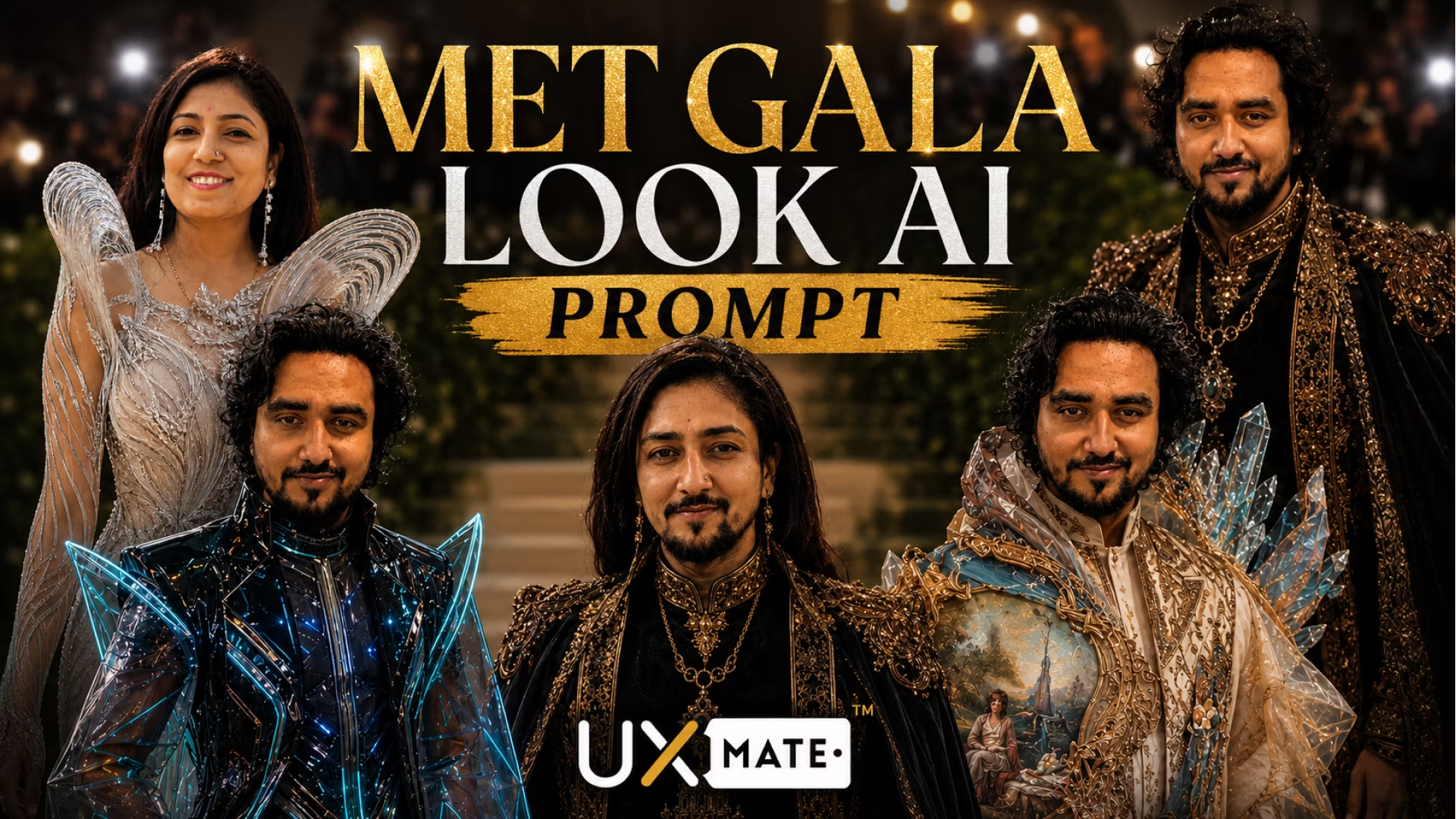
Generate viral Met Gala red carpet celebrity looks using AI. 5 copy-paste prompts for ChatGPT and Gemini AI — luxury couture, gothic royalty, Indian royal, cyberpunk, and surreal art fashion.
Table of Contents
Every year, the Met Gala sets the internet on fire with outrageous, breathtaking fashion moments. Now, with AI image generation tools like ChatGPT and Gemini AI, you can put yourself on that red carpet — dressed in ultra-luxury couture that rivals anything worn by the world’s biggest celebrities.
The Met Gala AI prompt trend has gone viral because the results are genuinely stunning. People are generating hyper-realistic editorial portraits of themselves wearing jaw-dropping fashion — and sharing them across Instagram, TikTok, and Twitter to millions of views.
In this guide, you’ll get 5 copy-paste Met Gala AI prompts, a full video tutorial, and expert tips for generating portraits that look like they belong in Vogue.

Why Met Gala AI Prompts Are Going Viral
The Met Gala is the ultimate fashion spectacle — extravagant, theatrical, and aspirational. That’s exactly what makes it perfect for AI image generation.
Here’s why this trend is exploding:
- Aspirational appeal — Everyone wants to see themselves styled by the world’s top designers
- Cinematic drama — Red carpet lighting, paparazzi flashes, and marble staircases are visually spectacular
- Identity preservation — Modern AI tools can keep your real face while transforming your outfit
- Share-worthy results — The contrast between everyday life and Met Gala glamour is inherently viral
The key is knowing how to write prompts that produce genuinely photorealistic, editorial-quality results — not generic AI art that looks obviously fake.
Watch the Full Video Tutorial
Before diving into the prompts, watch this step-by-step tutorial on how to use these Met Gala AI prompts with ChatGPT and Gemini AI:
Viral Met Gala Look AI Prompt Tutorial (ChatGPT & Gemini)
Learn how to create viral Met Gala AI photo prompts using ChatGPT and Gemini. Generate hyper-realistic red carpet celebrity looks with these 5 copy-paste prompts.
View TutorialHow to Use Met Gala AI Prompts
Getting great results takes more than just pasting a prompt. Here’s the workflow that consistently produces the best outputs:
Step 1: Choose Your AI Tool
- ChatGPT (GPT-4o) → Best for hyper-realistic, cinematic fashion photography
- Gemini AI → Excellent for vibrant editorial looks with strong color
Both tools are free to try. ChatGPT’s image generation gives more photorealistic results for fashion portraits.
Step 2: Upload a Reference Photo
This is the most critical step. To keep your face in the output:
- Use a clear, well-lit front-facing photo
- Solo portraits work much better than group photos
- Avoid heavy filters or dramatic angles
Step 3: Paste the Prompt
Copy the full prompt and paste it alongside your reference photo in the chat.
Step 4: Refine the Output
If the first output isn’t perfect, don’t start over — use follow-up instructions:
- “Keep my face exactly the same and regenerate”
- “Make the lighting more cinematic”
- “The outfit needs to be more dramatic”
5 Viral Met Gala AI Prompts
These 5 prompts cover the full spectrum of Met Gala fashion — from ultra-luxury couture to surreal art fashion. Each one is copy-paste ready and optimized for ChatGPT and Gemini AI.
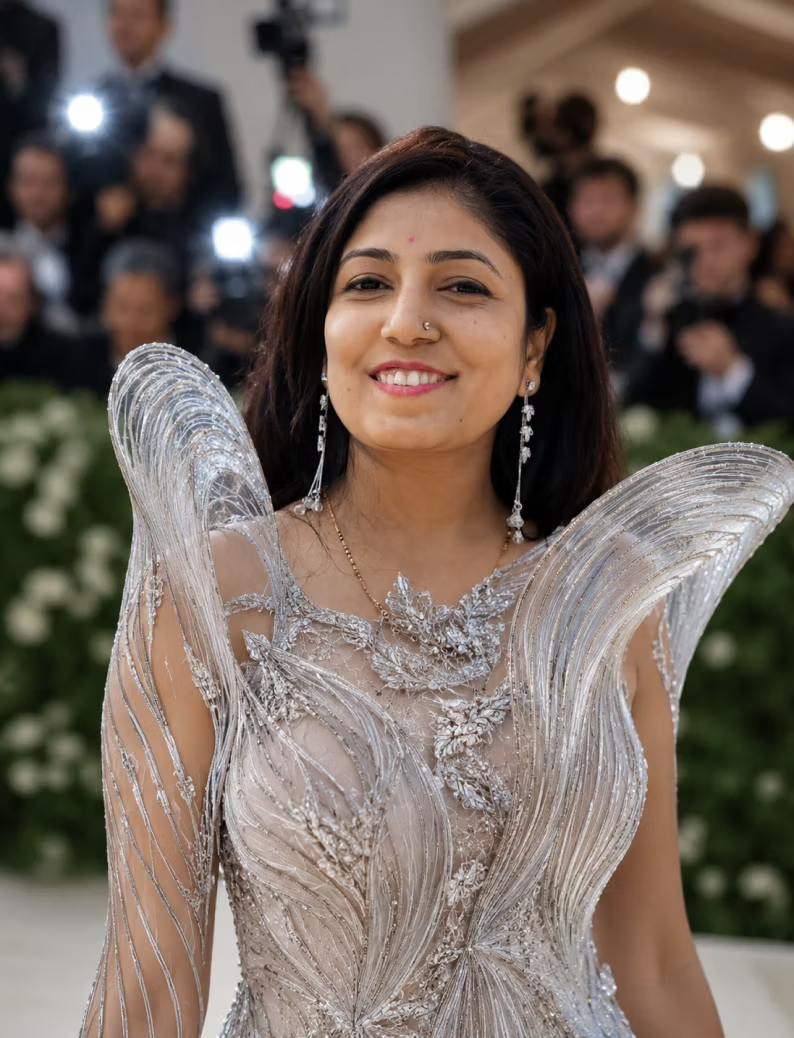
Cinematic Luxury Met Gala Look — AI Photo Prompt
Generate a hyper-realistic Met Gala red carpet photo with ultra-luxury haute couture using this copy-paste AI prompt. Works with ChatGPT and Gemini AI.
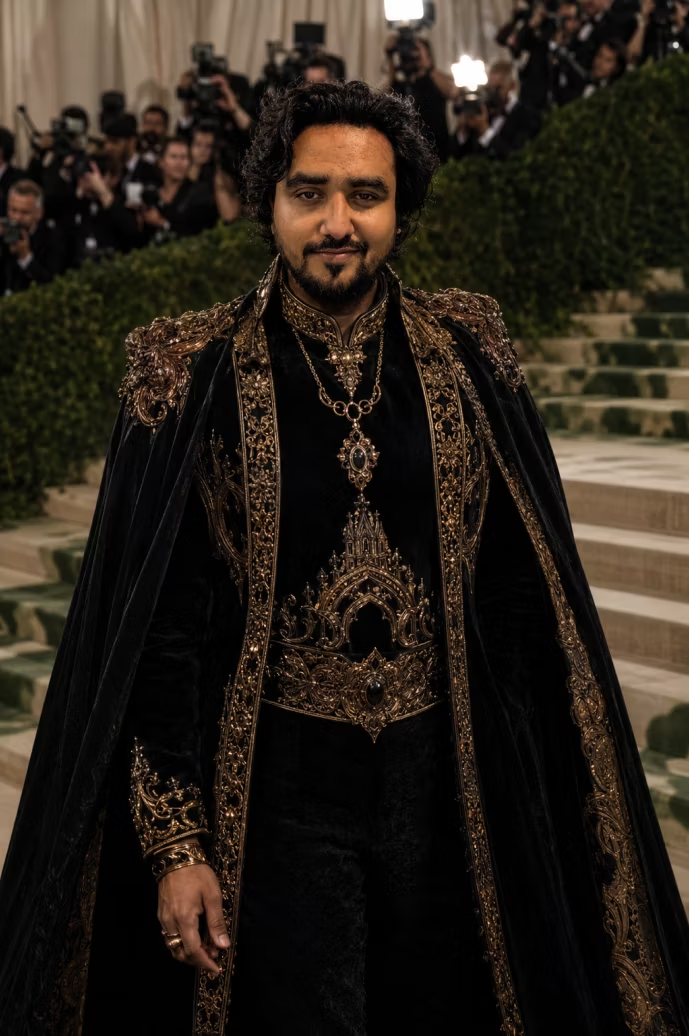
Dark Royalty Met Gala Theme — AI Photo Prompt
Generate a moody, gothic black and gold royal couture Met Gala portrait using this AI prompt. Works with ChatGPT and Gemini AI. Copy-paste ready.
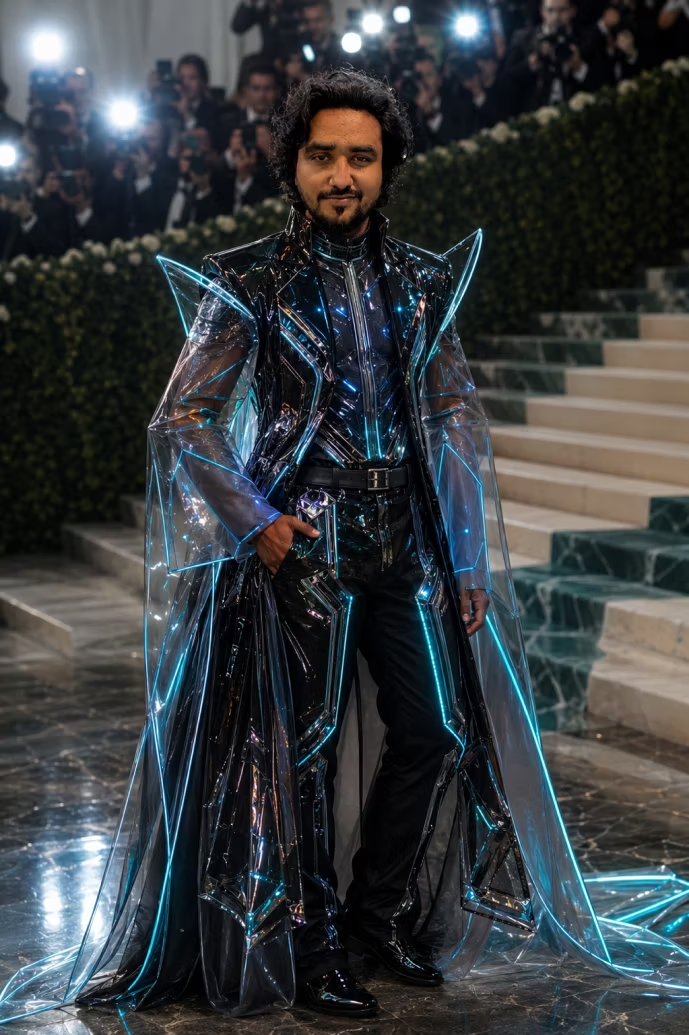
Futuristic Cyber Fashion Met Gala — AI Photo Prompt
Generate a cyberpunk avant-garde Met Gala portrait with neon accents and chrome couture using this AI prompt. Works with ChatGPT and Gemini AI.
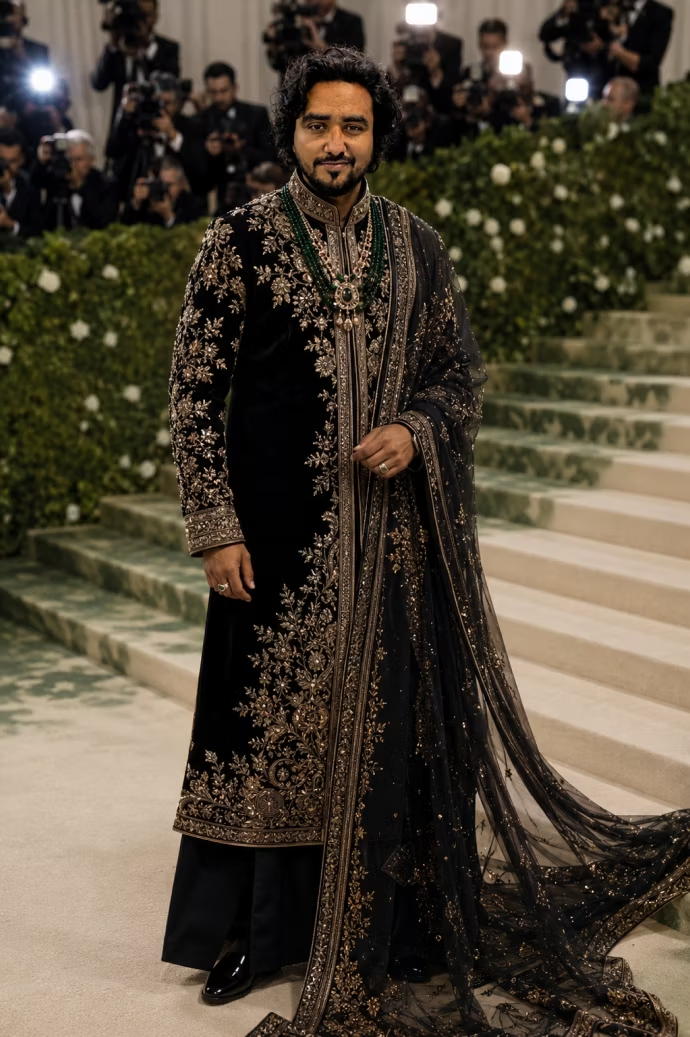
Traditional Indian Royal Met Gala — AI Photo Prompt
Generate a stunning Indian royal couture Met Gala portrait inspired by Sabyasachi and high-fashion Bollywood styling using this AI prompt. Copy-paste ready.
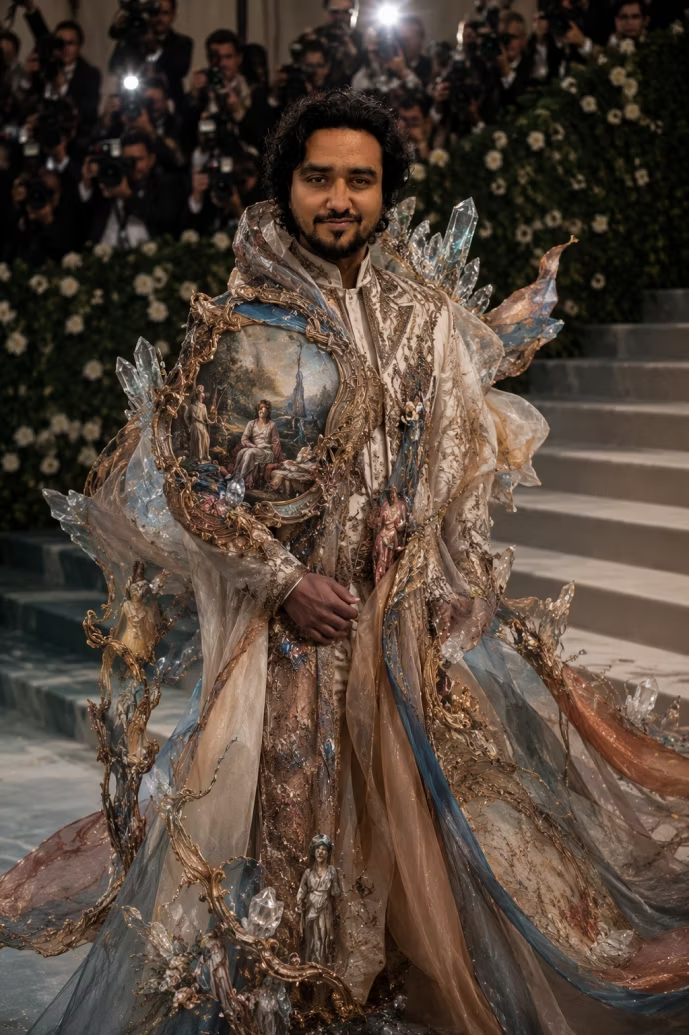
Surreal Fashion Is Art Met Gala — AI Photo Prompt
Generate a surreal Met Gala portrait where fashion becomes living art — sculpture, painting, and couture fused together using this AI prompt. Copy-paste ready.
Pro Tips for Realistic Met Gala AI Photos
Getting results that look genuinely photorealistic requires a few key techniques:
Always Specify Face Preservation
The most important line in any of these prompts: “Keep my face, hairstyle, skin tone, and identity exactly the same.” Without this, AI tools tend to generate a generic celebrity face rather than yours.
Use Vogue-Level Photography Terminology
Words and phrases that consistently produce better results:
- “Vogue editorial photography style”
- “Shallow depth of field”
- “Paparazzi camera flashes”
- “Cinematic lighting”
- “Natural skin texture”
Add “Not AI-Looking” to Your Prompt
This single instruction makes a significant difference. Adding “ultra realistic, not AI-looking” pushes the model toward photographic realism rather than the polished, artificial look common in AI images.
Iterate, Don’t Restart
Each generation builds toward your ideal output. Follow-up instructions like “deepen the shadows”, “make the fabric more dramatic”, or “sharpen the details on the embroidery” progressively improve the result.
Met Gala Theme Comparison
Not sure which prompt to start with? Here’s a quick breakdown:
| Theme | Mood | Best For |
|---|---|---|
| Cinematic Luxury Couture | Glamorous, aspirational | First-time users, all-purpose |
| Dark Royalty Gothic | Dramatic, powerful | Bold fashion lovers |
| Futuristic Cyber Fashion | Edgy, sci-fi | Tech-forward aesthetics |
| Traditional Indian Royal | Regal, cultural | South Asian fashion enthusiasts |
| Surreal Fashion Is Art | Artistic, conceptual | Creative, editorial content |
What Makes a Great Met Gala AI Prompt
The best Met Gala AI prompts share a consistent structure:
[Face preservation instruction] + [Outfit description] + [Setting/background] + [Lighting style] + [Photography style] + [Realism instruction]Example of this formula in action:
“Keep my face unchanged. Dress me in a floor-length black velvet gown with gold architectural details and a 10-foot train. Place me on the Met Gala red carpet staircase. Add soft dramatic lighting with paparazzi camera flashes. Vogue editorial photography style. Ultra realistic, natural skin texture, not AI-looking.”
Every element serves a purpose:
- Face preservation → Makes it actually look like you
- Outfit description → Defines the fashion concept
- Setting → Grounds the image in the Met Gala context
- Lighting → Creates the cinematic mood
- Photography style → Sets the editorial quality bar
- Realism instruction → Prevents the generic AI aesthetic
Common Mistakes to Avoid
Skipping the reference photo
Without a reference photo, the AI generates a completely fictional face. Your Met Gala portrait will look stunning — but it won’t look like you. Always upload a clear, front-facing photo before pasting your prompt.
Using vague outfit descriptions
Saying “a fancy dress” produces generic results. Saying “a sculptural floor-length gown with metallic feather embroidery, a dramatic structured bodice, and a 6-foot train” gives the model specific fashion language to work with.
Ignoring the background
The Met Gala context (red carpet, marble staircase, paparazzi, luxury lighting) is what makes these images feel authentic. Omitting the background turns a Met Gala moment into a generic fashion portrait.
Accepting the first output
AI image generation rewards iteration. If the first result is 70% there, use follow-up instructions to improve the remaining 30% — don’t start over. Small adjustments compound into significant quality improvements.
Using filtered or group reference photos
Heavily filtered selfies or group photos make face preservation much harder. Use a clean, natural-light solo portrait for best results. A simple front-facing photo with good lighting outperforms even high-quality filtered images.
FAQs About Met Gala AI Prompts
Which AI tool is best for Met Gala photo prompts?
ChatGPT (GPT-4o) consistently produces the most photorealistic and editorially detailed Met Gala portraits. Gemini AI is an excellent alternative with particularly strong color rendering. Both work well with the prompts in this guide.
Can I keep my own face in the AI-generated Met Gala photo?
Yes — the key is including a clear reference photo and explicitly stating “keep my face, hairstyle, skin tone, and identity exactly the same” in your prompt. Modern AI tools like GPT-4o are capable of high-fidelity face preservation.
How do I make my Met Gala AI photo look realistic and not AI-generated?
Add these phrases to any prompt: “ultra realistic, natural skin texture, not AI-looking, Vogue editorial photography style, shallow depth of field.” These instructions together push the output significantly toward photographic realism.
Can I use these prompts for Instagram or TikTok content?
Absolutely. These prompts are designed to produce share-worthy, high-impact images. The cinematic quality and Met Gala context make them ideal for social media. Many creators are using similar prompts to build large audiences around AI fashion content.
What if the AI changes my face or doesn't preserve my identity?
Add a stronger face preservation instruction: “Do not alter my face in any way. My facial features, skin tone, eye shape, and hairstyle must remain completely unchanged.” If the issue persists, try uploading a higher-quality, better-lit reference photo.
Can I combine elements from different Met Gala themes?
Yes — mixing themes often produces the most creative and unexpected results. For example, combining the Indian Royal couture elements with the Futuristic Cyber Fashion aesthetic can create a stunning fusion look that feels entirely original.
More Viral AI Prompt Guides
If you loved these Met Gala prompts, explore more viral AI photography guides on UX Mate:
- 10 ChatGPT Caricature Prompts — Viral Copy-Paste Ready
- Best Father & Daughter Prompts for Gemini AI
- Holi AI Photo Prompts For Boys, Girls, Couples (2026 Guide)
Final Thoughts: Your Red Carpet Moment Awaits
The Met Gala AI prompt trend proves that the best AI use cases are deeply personal — taking something aspirational and making it achievable for everyone. With the right prompt and a clear reference photo, you can generate a red carpet portrait that genuinely looks like you stepped off the pages of Vogue.
Start with the Cinematic Luxury Couture prompt if you’re new to AI fashion photography — it’s the most universally flattering and produces the most consistently impressive results.
Then work through the other four themes. You might be surprised which one resonates most.
The runway is yours. All you need is the right prompt.
Get More AI Prompts
Access our full library of tested, production-ready AI prompts:
- Fashion, portrait, and lifestyle AI prompts
- ChatGPT, Gemini, and Midjourney prompt packs
- New prompts added weekly
👉 Visit the UX Mate Prompts Library
Join Our Community
Connect with thousands of creators exploring AI art and photography: