Discover the 5 best father and daughter prompts for Gemini AI. Generate realistic, cinematic family portraits with copy-paste prompts — golden hour, rainy day, adventures, and more.
Table of Contents
When it comes to generating realistic AI family portraits, one of the most popular searches is for a father and daughter prompt for Gemini AI. Queries like “dad and daughter Gemini prompt”, “father daughter prompt for Gemini AI”, and “Gemini AI father and daughter photo prompt” are consistently trending on Google.
Why? Because a father and daughter photo carries emotional depth — it’s warm, intimate, and timeless. It’s also one of the most challenging scenarios for AI image generators to get right, making it a true test of Gemini’s capabilities.
In this guide, we’ll share 5 detailed Gemini AI father and daughter prompts plus family photo variations, customization tips, and expert advice to help you generate authentic, candid, and studio-quality results that genuinely look like real photographs.

Why Father & Daughter Prompts Are Trending on Gemini AI
AI image generation has reached a level where realistic human portraits are now achievable — but multi-person scenes with emotional context remain one of the hardest problems to solve. Father and daughter prompts specifically challenge the AI to:
- Maintain two distinct faces consistently across the image
- Convey emotional connection (warmth, joy, safety, tenderness)
- Set a believable scene — lighting, environment, and clothing that all feel authentic
- Avoid generic stock-photo aesthetics in favor of candid, documentary-style realism
Getting all of this right requires a well-structured prompt. The 5 examples below are optimized specifically for Gemini AI’s image generation capabilities.
How to Use These Prompts with Gemini AI
Before diving into the prompts, here’s the recommended workflow:
Step 1: Gather Reference Photos
Each prompt below includes a line asking you to attach reference photos. Upload a clear, front-facing photo of both the father and daughter. Better reference photos = more accurate facial preservation.
Step 2: Paste the Prompt
Copy the full prompt (reference instruction included) and paste it into Gemini’s image generation interface.
Step 3: Review and Refine
If a person gets dropped from the frame or faces look off, add this line to your follow-up:
“Ensure both father and daughter are included in the frame.”
Step 4: Iterate the Scene
Adjust lighting, pose, or environment through follow-up messages. Gemini responds well to iterative direction.
5 Best Father & Daughter Prompts for Gemini AI
These prompts are copy-paste ready and tested for natural, emotionally rich results across a variety of scenes and moods.
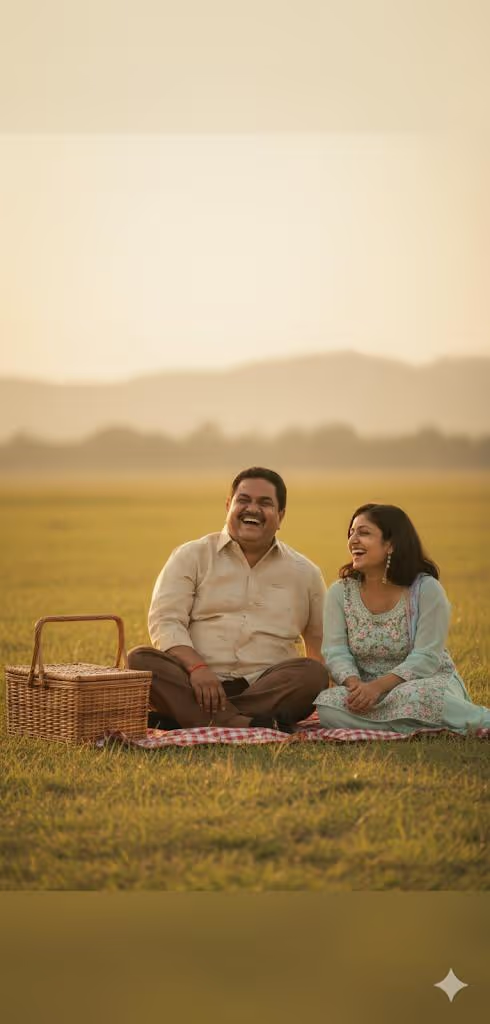
Golden Hour Picnic — Gemini AI Father & Daughter Prompt
Generate a cinematic, warm golden hour picnic photo of a father and daughter using this copy-paste Gemini AI prompt. Realistic outdoor portrait with soft hazy light.
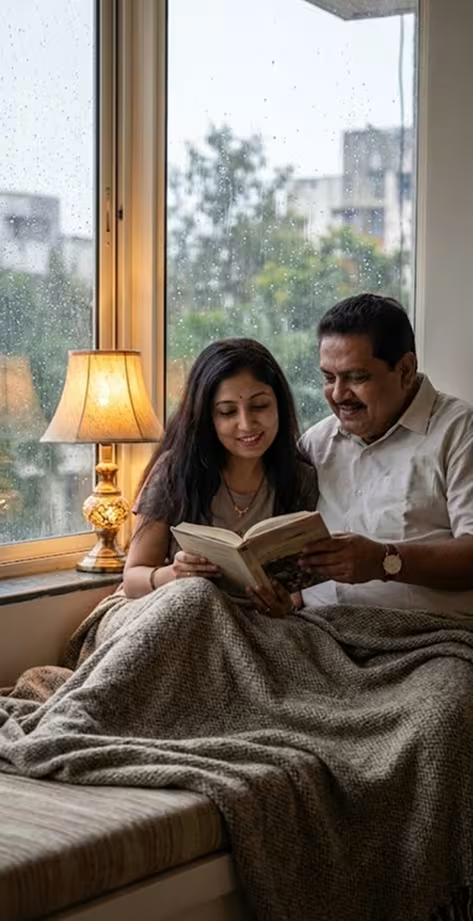
Rainy Day Read — Gemini AI Father & Daughter Prompt
Create a cozy, intimate indoor portrait of a father and daughter reading together on a rainy day. Copy-paste ready Gemini AI prompt with soft lamplight and window rain.
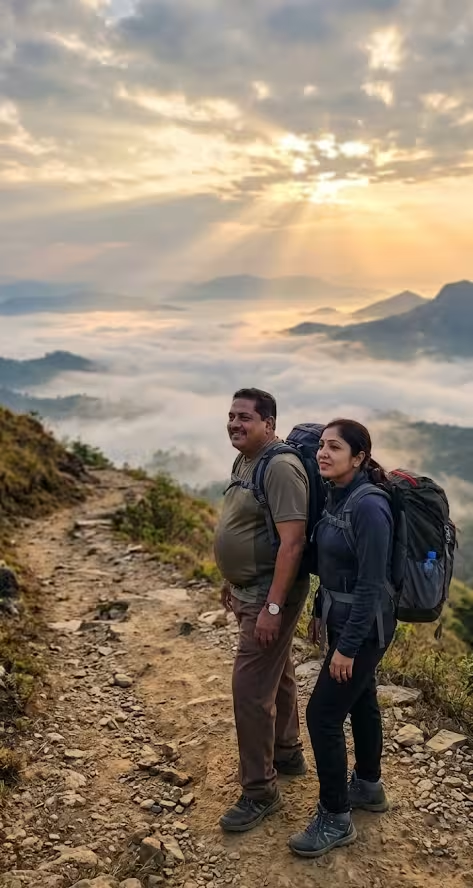
Adventurous Hike — Gemini AI Father & Daughter Prompt
Generate a dramatic, wide-angle outdoor hiking portrait of a father and daughter at sunrise. Copy-paste Gemini AI prompt with mountain trail, misty valley, and cinematic light.
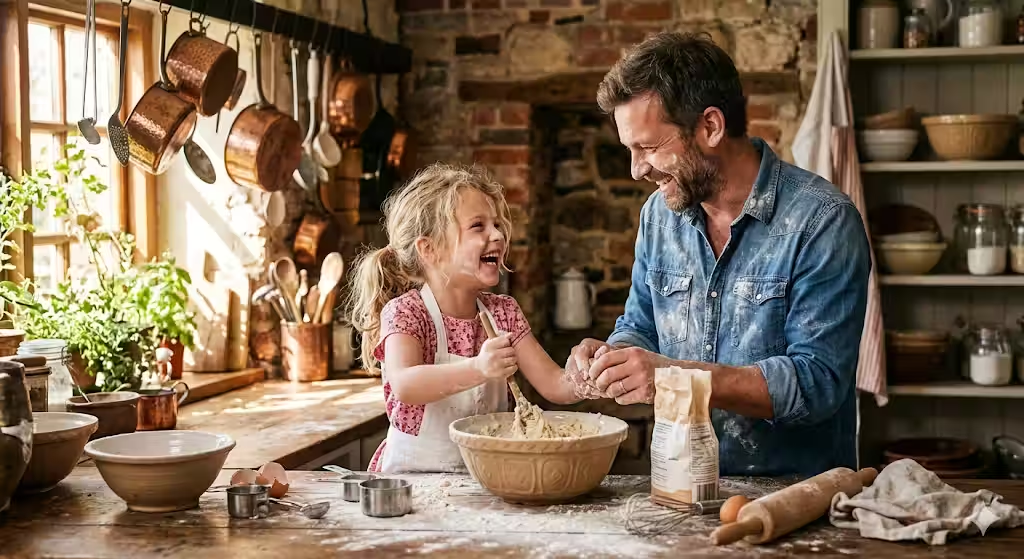
Cooking Together — Gemini AI Father & Daughter Prompt
Create a joyful, candid kitchen portrait of a father and daughter cooking and laughing together. Copy-paste Gemini AI prompt with rustic kitchen, flour, and warm sunlight.
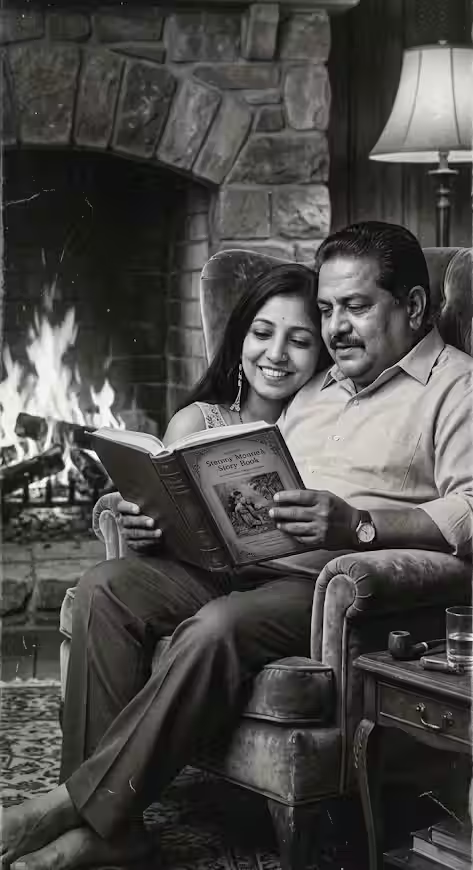
Vintage Storytime — Gemini AI Father & Daughter Prompt
Generate a nostalgic, black-and-white vintage portrait of a father reading to his daughter by a fireplace. Copy-paste Gemini AI prompt with warm firelight glow and film grain.
Pro Tips for Better Gemini AI Family Photos
Getting consistently great results from Gemini AI requires more than just a good prompt. Here are the techniques that make the biggest difference:
🎞 Use Realistic Photography Terminology
Words like “golden hour,” “candid moment,” “studio portrait,” “warm tones,” “documentary photography,” and “shallow depth of field” help steer Gemini away from overly digital or illustrated outputs and toward photorealistic results.
🌍 Always Add Environmental Context
Generic prompts produce generic results. Specifying the setting — a rustic kitchen, a mountain trail, a cozy window seat — gives the model enough context to generate coherent, detailed backgrounds that enhance the emotional tone.
👥 Specify Relationships Clearly
When prompting for multiple people, always state relationships explicitly. Instead of “two people sitting together,” say “a father and his young daughter.” This helps Gemini correctly interpret age dynamics, body proportions, and emotional positioning.
💡 Reference Both Faces in Your Prompt
If Gemini drops one person from the frame (a common issue), end your prompt with:
“Ensure both father and daughter are fully visible and clearly included in the frame.”
🔁 Iterate, Don’t Restart
If the first output isn’t perfect, don’t start over — refine it. Follow-up instructions like “shift the lighting warmer” or “make both faces more visible” progressively improve the result without losing the overall composition.
Scene Ideas Beyond the 5 Prompts
Once you’ve mastered the core 5, try these additional scene concepts for even more variety:
| Scene | Mood | Best For |
|---|---|---|
| Beach sunset walk | Peaceful, nostalgic | Personal keepsake |
| First day of school | Bittersweet, warm | Milestone memory |
| Dancing in the living room | Joyful, playful | Social media sharing |
| Gardening together | Calm, wholesome | Lifestyle content |
| Stargazing at night | Wonder, connection | Artistic/editorial |
| Birthday cake moment | Celebratory | Occasion content |
Each of these can be turned into a full Gemini prompt by following the same structure as the 5 examples above — reference photo instruction + scene setting + lighting + emotional cue + blur instruction.
How to Write Your Own Gemini AI Family Photo Prompt
If you want to go beyond the templates, here’s the formula for writing your own father and daughter (or any family) photo prompt:
[Reference instruction] + [Scene/environment] + [Lighting details] + [Emotional moment/action] + [Photography style] + [Realism instruction]Example:
“Use the attached reference photos. Keep faces and body shapes unchanged. Take a cinematic photograph in a sunlit backyard during late afternoon. Father and daughter are playing catch, both mid-laugh. The light is golden and slightly hazy, casting warm shadows. Add slight natural blur for realism. Ensure both are fully visible in the frame.”
This structure works across nearly every scene imaginable.
Common Mistakes to Avoid with Gemini AI Family Prompts
Not attaching reference photos
Without reference photos, Gemini generates completely fictional faces. The results may look beautiful, but they won’t represent real people. Always attach clear reference images for portrait prompts.
Writing vague emotional descriptions
Saying “they look happy” is weak. Saying “they are mid-laugh, looking at each other with genuine joy” gives the model much more to work with and produces far more expressive, believable results.
Skipping lighting instructions
Lighting is the difference between a flat, digital-looking image and a cinematic, photorealistic one. Always specify the light source, quality (soft/harsh), and color temperature (warm/cool).
Using only one reference photo
For multi-person prompts, upload a reference photo for each person separately. A single group photo makes it harder for Gemini to isolate and preserve individual faces accurately.
Expecting perfection on the first attempt
AI image generation is iterative. Your first output is a starting point — use follow-up prompts to adjust pose, lighting, crop, and detail level progressively.
FAQs About Gemini AI Father & Daughter Prompts
What is the best Gemini AI prompt for father and daughter photos?
The most effective prompts combine a reference photo instruction, a specific scene (e.g., golden hour picnic), clear lighting details, an emotional action (e.g., laughing together), and a realism cue (e.g., slight natural blur). See all 5 tested prompts above.
Can Gemini AI create realistic dad and daughter photos?
Yes — Gemini AI can generate highly realistic father and daughter photos when you provide a detailed, well-structured prompt with context, lighting, and emotional tone. Reference photos improve accuracy significantly.
How do I write a family photo prompt for Gemini AI?
Use explicit relationship labels (father, daughter, mother), specify the environment and lighting, describe the action or emotion, and add a realism instruction like “slight natural blur” or “candid photography style.”
What makes a good father-daughter AI photo prompt?
Emotional specificity is the key differentiator. Describing a concrete moment — laughing over a recipe, reading by firelight, standing on a mountain together — produces far more warmth and authenticity than generic instructions.
Why does Gemini sometimes drop one person from the frame?
This is a common issue with multi-person prompts. To fix it, add the line: “Ensure both father and daughter are fully visible and included in the frame” at the end of your prompt. It consistently improves dual-person composition.
Can I use these prompts for other family combinations?
Absolutely. These prompt structures work for mother and daughter, grandparent and grandchild, siblings, or any family grouping. Simply replace the relationship labels and adjust the emotional context accordingly.
Related Guides You’ll Love
Looking to explore more AI photo prompt guides? Check out these related posts on UX Mate:
- 10 ChatGPT Caricature Prompts — Viral Copy-Paste Ready
- Holi AI Photo Prompts For Boys, Girls, Couples (2026 Guide)
- ChatGPT Caricature Trend: How to Create Viral AI Caricatures
Final Thoughts: AI Family Portraits Are Getting Remarkably Real
The Gemini AI father and daughter prompt trend reflects something larger — people want to use AI not just for abstract art, but for emotionally meaningful, personal content. A well-crafted family portrait prompt bridges that gap.
The 5 prompts in this guide are your starting toolkit. Each one targets a different mood, scene, and use case — from warm golden-hour nostalgia to adventurous outdoor realism. Start with the one that resonates most, iterate until it feels right, and then build your own variations using the formula above.
The secret isn’t in the tool — it’s in the specificity of what you ask for.
🚀 Get More Family & Portrait Prompts
Access our full library of tested, production-ready prompts:
- Father & daughter, mother & son, sibling, and full family portrait prompts
- Scene-specific lighting and environment guides
- Gemini, ChatGPT, and Midjourney prompt packs
👉 Visit the UX Mate Prompts Library
Join Our Community
Connect with thousands of creators exploring AI art and photography prompts: