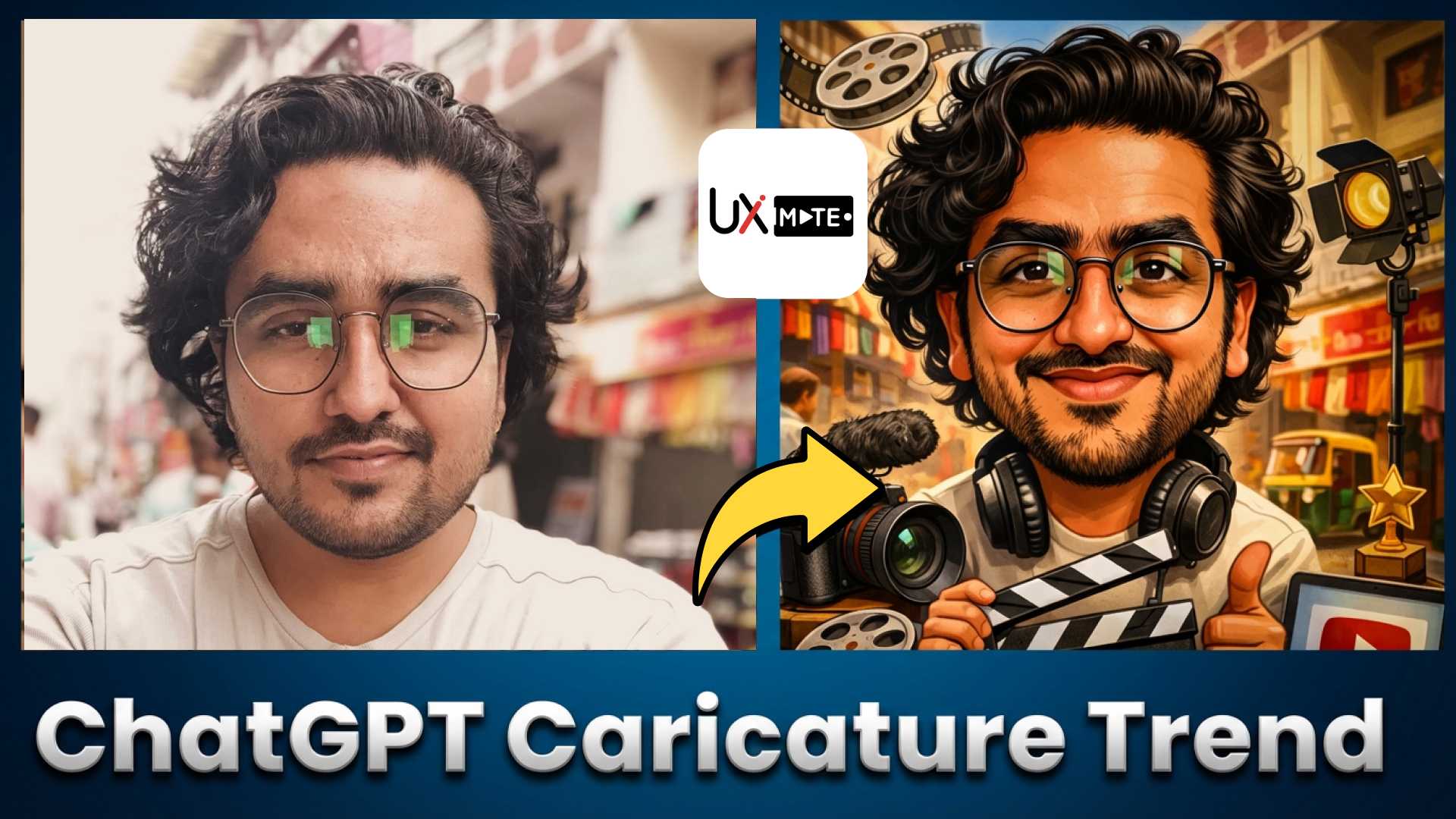

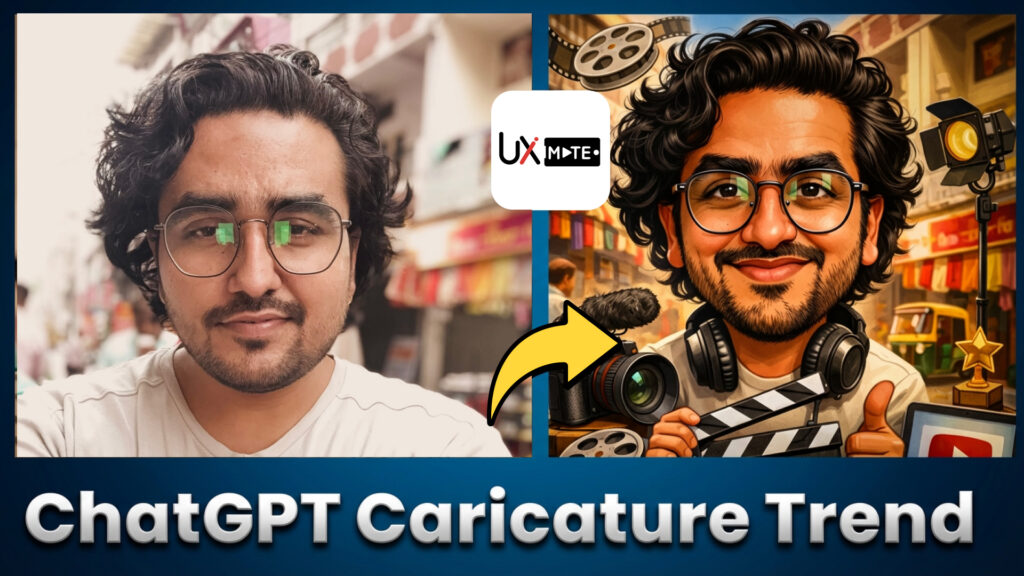
The ChatGPT caricature trend is officially the first major AI design trend of 2026 — and it’s everywhere.
From Facebook and Instagram to TikTok and LinkedIn, people are turning themselves into exaggerated cartoon-style caricatures that reflect their job, personality, lifestyle, and interests. What used to require a street artist or hours of illustration work now takes one image + one smart prompt.
If you’ve seen this trend flooding your feed and wondered:
- How are people making these caricatures?
- Why do some results look insanely accurate?
- Why does it work for some users but not others?
You’re in the right place.
This guide breaks down:
- What the ChatGPT caricature trend actually is
- How it works behind the scenes
- How to make a caricature with ChatGPT (step by step)
- The exact viral prompt everyone is using
- 10 advanced prompt variations you can copy-paste
- How to get great results even if ChatGPT “doesn’t know you well”
What Is the ChatGPT Caricature Trend?
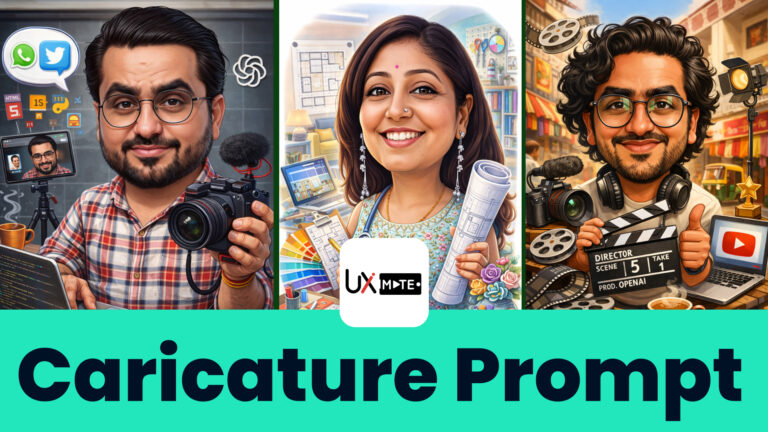
The ChatGPT caricature trend is a viral AI-art challenge where users ask ChatGPT to generate a cartoon-style caricature of themselves, often surrounded by elements that represent their profession or daily life.
Unlike basic AI avatars, these caricatures:
- Exaggerate facial features
- Capture personality traits
- Include symbolic objects (laptops, cameras, medical tools, travel gear, etc.)
- Feel surprisingly personal
This is why the trend exploded so quickly — the results feel custom-made.
Why This AI Caricature Trend Went Viral So Fast
Several things came together at the perfect time:
- Improved AI image generation inside ChatGPT
- People already sharing AI portraits on social media
- A single, simple viral prompt anyone could try
- High “wow factor” when the AI gets it right
More importantly, the results are highly shareable. People love seeing how AI interprets their job or personality — even when it gets a few details hilariously wrong.
How the ChatGPT Caricature Actually Works
Let’s clear up a common misconception.
ChatGPT isn’t just “drawing” you randomly.
It combines:
- Your uploaded photo (visual reference)
- Your chat history (if available)
- Your prompt instructions
- Image generation models working behind the scenes
If ChatGPT has enough context about you, it can infer details.
If not, you must explicitly tell it what to include.
That’s why prompts matter more than tools.
How to Make Caricature With ChatGPT (Step-by-Step)
Here’s the cleanest, repeatable process.
Step 1: Open ChatGPT
Use either:
- Web version
- Mobile app
Make sure you’re logged in.
Step 2: Upload a Clear Photo
Click the Attach / Upload button and add:
- A clear, front-facing photo
- Good lighting
- Minimal blur
Close-up shots work best.
Step 3: Use the Viral Prompt (Basic Version)
Copy the prompt and paste it into ChatGPT. You can get 10 variations and the viral prompt here.
Send it and wait.
Step 4: Refine If Needed
If the result feels generic:
- Add job details
- Add environment details
- Add style preferences
This is where advanced prompts outperform viral ones.
Important: Why This Trend Works Better for Heavy ChatGPT Users
The viral prompt relies on ChatGPT’s memory of you.
If you’ve:
- Used ChatGPT for months
- Asked about work, projects, and hobbies
- Shared preferences
It can pull those details automatically.
If You’re a New User — Don’t Worry
You’ll just need a more descriptive prompt, which often gives even better results.
The Viral ChatGPT Caricature Prompt (Original)
Here’s the exact version circulating everywhere:
Create a caricature of me with everything you know about me and my work
It’s simple — but also limiting.
Below are 10 improved prompt variations that give far more control.
10 Detailed ChatGPT Caricature Prompt Variations (Copy–Paste Ready)
We have curated these 10 detailed ChatGPT Caricature Prompts. You can just copy them and use them in ChatGPT to create caricatures for free.
Common Mistakes People Make With AI Caricature Using ChatGPT
Avoid these if you want good results consistently:
- Using only the viral one-line prompt
- Not describing job or environment
- Uploading low-quality images
- Expecting perfect output on first try
- Ignoring style instructions
AI caricature creation is iterative, not one-click magic.
FAQs About the ChatGPT Caricature Trend
It’s a viral AI trend where users generate cartoon-style caricatures of themselves using ChatGPT prompts and image generation.
Use detailed prompts describing your job, environment, personality, and style preferences.
ChatGPT helps generate prompts and images together, but prompt quality drives the results.
Yes. You can use free prompts
Because of better prompts, clearer photos, and more context.
Final Thoughts: The Real Power Is in Prompts
The ChatGPT caricature trend proves one thing clearly:
Prompt engineering is now a creative skill.
The better your prompt, the better your output — regardless of the tool.
If you want consistent, high-quality AI caricatures without trial and error…
🚀 Explore UX Mate’s ChatGPT Prompts Library
Get access to:
- Tested caricature prompts
- Viral-ready AI art structures
- Profession-specific prompt packs
- Time-saving copy-paste frameworks
Stay ahead of the trend — before it becomes saturated.
Join Our Community